
Scan · Adjust · Done

The whole shop,
in your pocket.

Keep a small shop’s inventory accurate in seconds — scan to adjust stock, see what’s low, and share your whole shop with the team without paying per person.

iPhone Free to start · no account Your data stays in iCloud

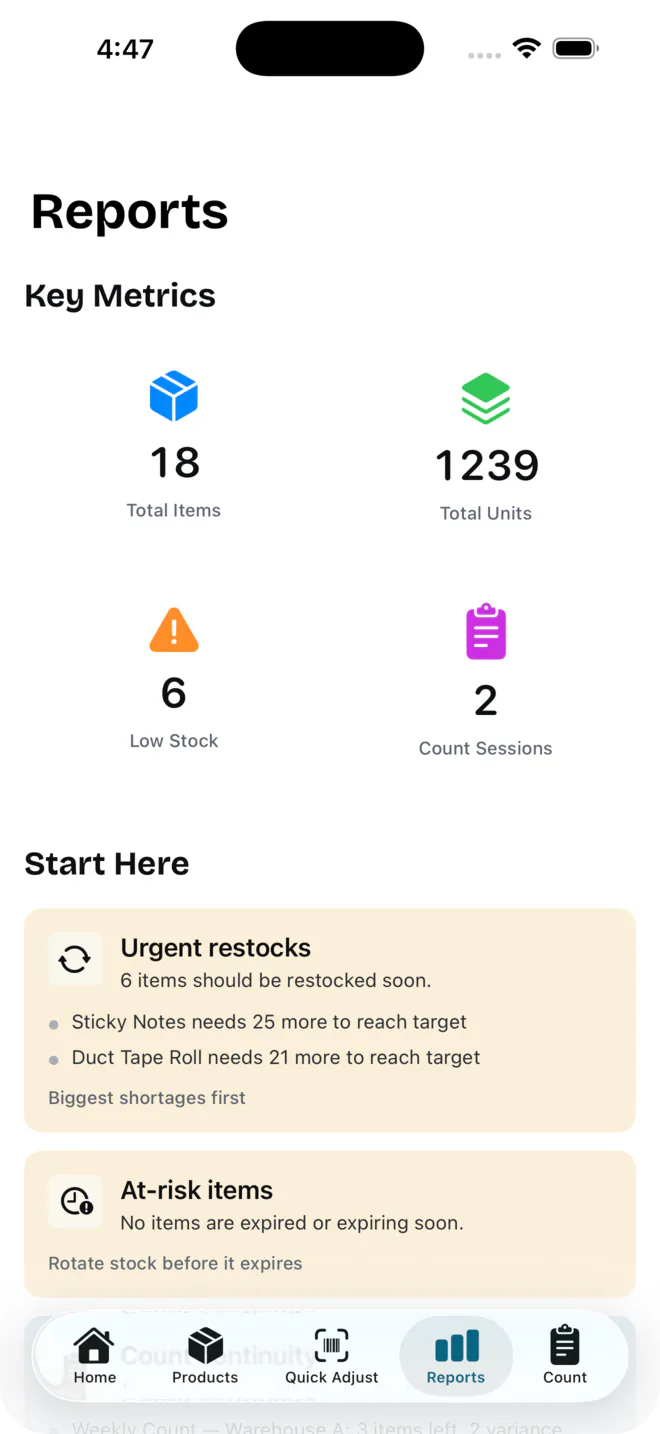
Magpie reports screen showing key metrics and urgent restock recommendations
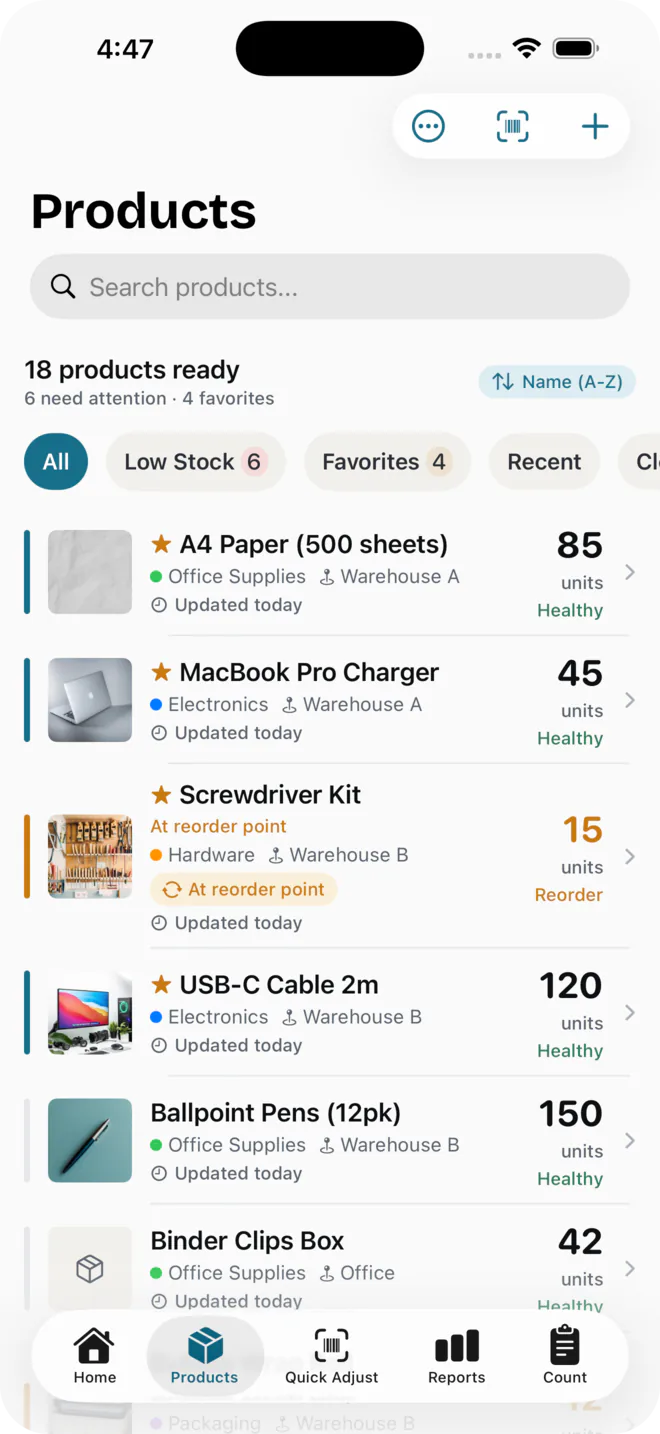
Magpie products list showing stock health status and quick filters
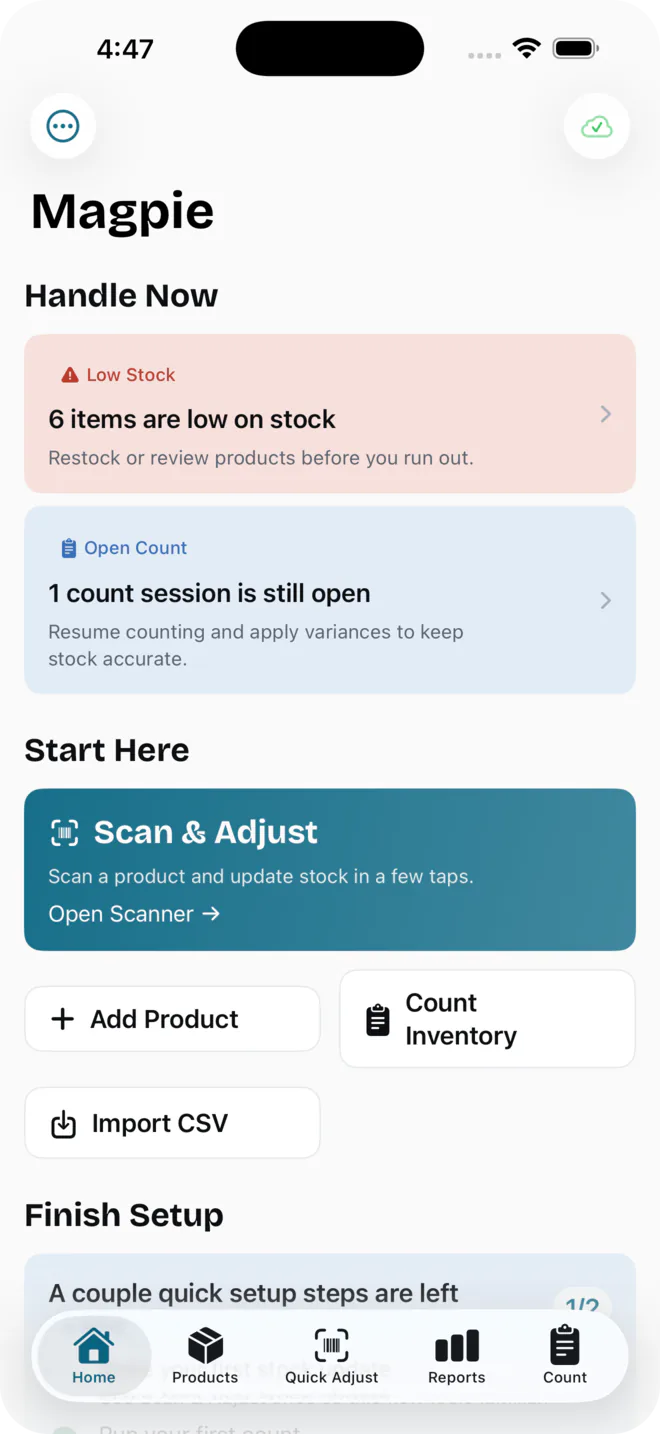
Magpie home screen showing low-stock and open-count alerts with quick actions
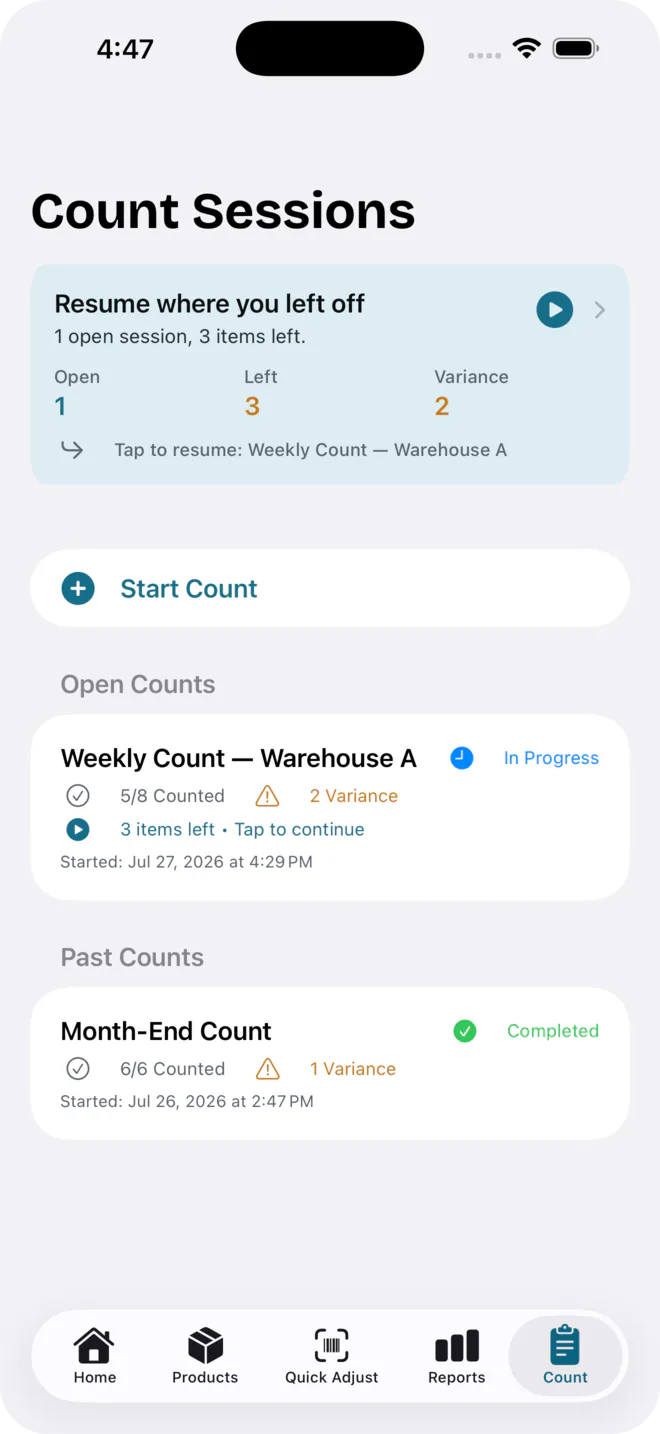
Magpie count sessions screen showing an in-progress count you can resume
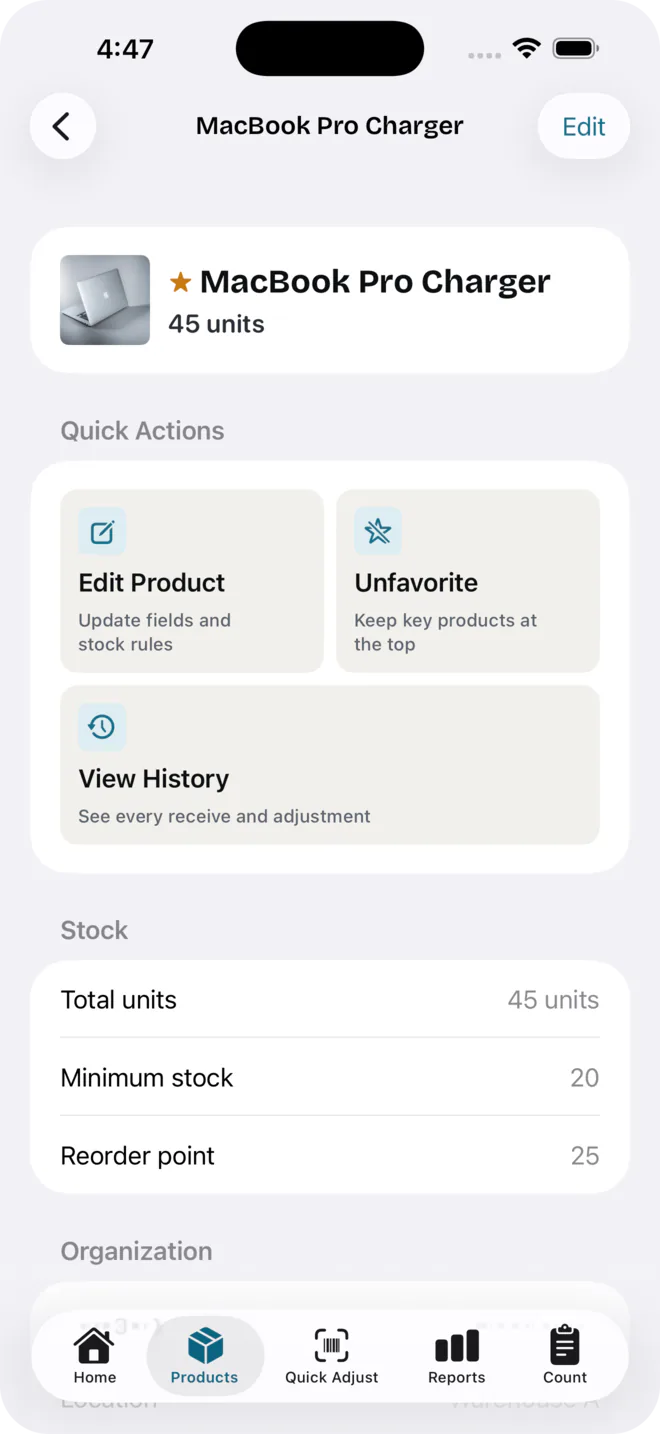
Magpie product detail screen showing quick actions and stock levels
Made for Boutiques·Cafés·Hardware· Studios·Churches·Schools·and many more

01 — 04 · What it does

Everything you stock, at a glance.

01 SCAN

Scan, adjust, done

Camera-first from the very first tap. Point at a barcode and the stock changes right in the viewfinder — no forms, no save button.

  • Continuous barcode scanning — adjust in the camera view
  • Add a product by scanning — Magpie fills in the name and photo
  • Search or scan to find anything in seconds
02 TRACK

Know before you run out

The details that keep a shelf honest — and the alerts that keep it stocked, so nothing sells out behind your back.

  • Low-stock & reorder alerts on your terms
  • Expiration tracking with clear “expires soon” warnings
  • Stocktake mode — reconcile shelf vs records in minutes
03 SHARE

Share with your team

One shop, your whole staff — synced through the iCloud they already have. No new accounts, no per-seat bill.

  • Instant sync across all your own devices
  • Share one shop with your whole staff — one flat price
  • No accounts to manage — invites go through iCloud
04 PRIVACY

Private by design

Your inventory is yours. It lives on your device and in your own iCloud — nowhere else, seen by no one.

  • No ads, no tracking, no analytics
  • No data selling, ever
  • Import from a spreadsheet, export to CSV anytime

The team difference

One flat price.
No per-seat fees.

Most inventory apps charge for every person you add — so growing your team quietly grows your bill. Magpie’s Team plan covers your whole shop for one flat rate. Add staff, not line items.

Typical per-seat app $49 / seat / mo
Magpie Team $29.99 flat / mo · whole shop

How Magpie compares

Built for shops, priced for shopkeepers.

Sortly and inFlow are both capable tools — but they cap your users and products by tier and keep your data on their servers. Here’s how Magpie stacks up against the apps small shops actually shortlist.

FeatureUsMagpieSortlyinFlow
Lowest paid plan$14.99 / mo$49 / mo$186 / mo
Share with your whole team$29.99 / mo flat$149 / mo+$436 / mo + user packs
Extra cost per personNone — one flat priceHigher tier for more users$29–49 per 5 users
Free plan50 products100 items · 1 user14-day trial only
Products on the paid planUnlimited500 on entry tierCapped by plan
No account — data in your own iCloud
Apple-native for iPhone

Competitor pricing from the public pricing pages of Sortly and inFlow, July 2026.

Full breakdowns: Magpie vs. Sortly · Magpie vs. inFlow

How shop owners use it

Shopkeepers don’t look back.

Replaces a messy spreadsheet — a full stocktake takes about as long as it used to take to find the pen.

Café owner One register, solo operator

The flat team price means adding staff doesn't grow the bill — three people, one shop, one price.

Hardware store owner Three staff, one shared shop

Scan-first syncing means new staff pick it up with zero training.

Boutique owner Single location, seasonal stock

Pricing

Start free. Grow when you’re ready.

Every paid plan starts with a 7-day free trial. No account, no per-seat math — cancel anytime in your Apple ID settings.

Save up to 33%
Free
$0 $0

Everything you need to start keeping stock honest.

  • Up to 50 products
  • Barcode scanning & adjustments
  • Low-stock & expiration alerts
  • One device
Get Magpie
Pro
$14.99 / mo $10 / mo

7-day free trial 

$119.99 billed yearly · save 33% 

Unlimited stock, synced across all your own devices.

  • Everything in Free
  • Unlimited products
  • iCloud sync across your devices
  • Full reports & CSV export
Start free trial
Team Popular
$29.99 flat / mo $20.83 flat / mo

7-day free trial 

$249.99 billed yearly · save 30% 

Everything in Pro — shared with your whole shop.

  • Everything in Pro
  • Share one shop with your whole team
  • Flat price — no per-seat fees
  • Invites through iCloud — no logins
Start free trial

Questions

Questions shopkeepers ask.

Is there a free plan?
Yes. Free covers up to 50 products, barcode scanning & adjustments, and low-stock & expiration alerts on one device — no account, no trial clock.
Does Magpie work without Wi-Fi?
Scanning and adjusting stock works offline for products already in your inventory. Looking up a brand-new barcode to auto-fill a name and photo uses an internet connection — that lookup is optional, and you can always enter details by hand instead. Syncing across devices on Pro or Team needs a connection when it happens.
Where is my data stored?
On your device, and in your own iCloud account if you’re on a plan with sync. Magpie doesn’t run servers that collect your inventory — there’s no copy of it anywhere but yours.
How is Magpie different from Sortly or inFlow?
One flat price for your whole team instead of a per-seat bill, no account to create since sharing runs through the iCloud you already have, and unlimited products on the paid plan.
Does adding staff cost more?
No. The Team plan is one flat price for the whole shop — add people, not line items.
Do I need to create an account?
No. There’s no Magpie login. Syncing and team sharing both run through your existing iCloud account.

Put the spreadsheet down.

Scan to adjust, see what’s low, run a stocktake, and share your shop with your team — flat-priced, no per-seat fees.

Magpie collects what matters